
What Is a Set in Python?
Learn the fundamentals of Python sets, including how to handle unique values, perform fast membership testing, and execute mathematical set operations.
In our previous article, we talked about dictionaries in Python. If you haven't read it yet, you can read it by clicking here.
Now that we have covered lists, tuples, and dictionaries, it is time to look at the final built-in collection type in Python: the set. While it might look a bit like a dictionary because it uses curly braces, it serves a very different mathematical purpose.
What is a Set?
A set is a collection of items that is unordered, unindexed, and most importantly, does not allow duplicate values. You can think of it exactly like a mathematical set.
You can create a set by placing your items inside curly braces {}, separated by commas, or by using the built-in set() function.
# Creating a set
my_set = {"apple", "banana", "cherry"}

# Sets automatically remove duplicates
numbers = {1, 2, 2, 3, 4, 4, 4, 5}
print(numbers)  # Output: {1, 2, 3, 4, 5}
Why Use Sets?
If sets are unordered and unindexed (meaning you cannot access items using my_set[0]), why are they useful?
- Removing Duplicates: The fastest way to remove duplicate values from a list is to convert it into a set, and then back into a list.
- Fast Membership Testing: Checking if an item exists in a set (using the
inkeyword) is significantly faster than checking if it exists in a list, especially for large datasets. This is because sets use a hash table under the hood. - Mathematical Operations: Sets excel at comparing groups of data using standard mathematical operations like union, intersection, and difference.
Modifying a Set
Because sets are unordered, you cannot change a specific item. However, you can add or remove items.
fruits = {"apple", "banana"}

# Adding a single item
fruits.add("orange")

# Removing an item
fruits.remove("banana")

# Using discard() is safer because it won't throw an error if the item doesn't exist
fruits.discard("grape")
Mathematical Set Operations
This is where sets truly shine. If you have two different datasets and you need to find commonalities or differences, sets provide built-in methods that do this instantly.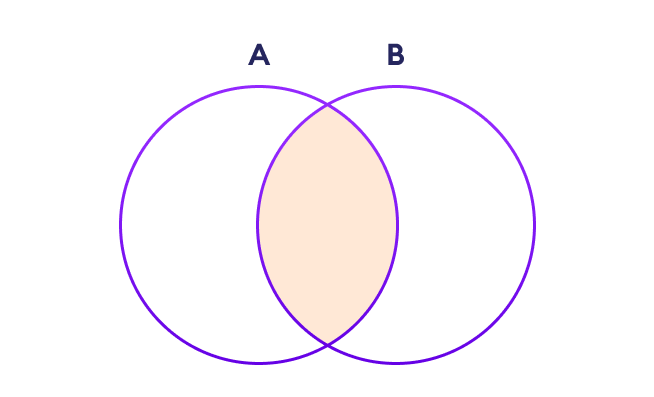
set_a = {1, 2, 3, 4}
set_b = {3, 4, 5, 6}

# Union: Combines all unique elements from both sets
print(set_a.union(set_b))
# Output: {1, 2, 3, 4, 5, 6}

# Intersection: Keeps only the elements that exist in BOTH sets
print(set_a.intersection(set_b))
# Output: {3, 4}

# Difference: Keeps elements in set_a that are NOT in set_b
print(set_a.difference(set_b))
# Output: {1, 2}
Conclusion
Sets might not be the data structure you reach for every single day, but when you face problems involving uniqueness, comparisons, or rapid membership testing, they are undeniably the right tool for the job. By understanding lists, tuples, dictionaries, and sets, you now have a complete toolkit to handle almost any data collection scenario in Python.